
Didi
How Can Foreign Travelers Communicate With a Didi Driver When They Cannot Take a Chinese Phone Call?
Foreign travelers can usually meet a DiDi driver without a Chinese phone call by using the exact pickup point, short in-app messages, clear location details, and vehicle verification.
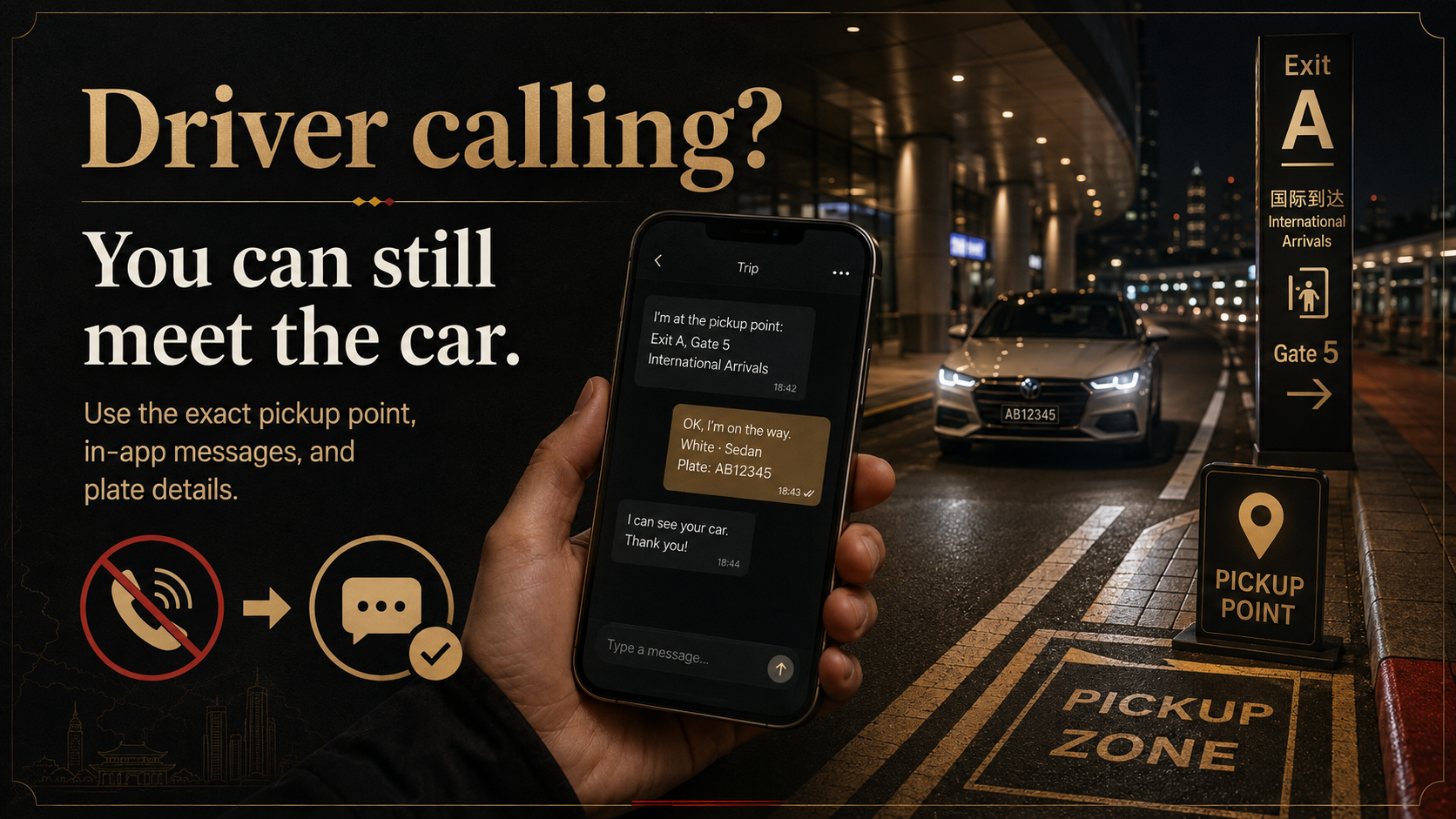
Quick answer
You can usually meet a DiDi driver without holding a conversation in Chinese.
The most reliable method is to:
- stand at the exact pickup point before ordering;
- switch to in-app messages when the driver calls;
- send the exit, floor, lane, road side, or landmark;
- share a useful photo if the location is still unclear;
- check the plate and order details before getting in.
DiDi currently supports international mobile-number login and bilingual in-app messaging. That does not mean every foreign number can receive a driver’s voice call, or that every message will be read immediately.
Get to the pickup area before you order
At an airport, railway station, mall, or large hotel, a map pin is not enough.
Before requesting the car, check:
- the airport terminal;
- arrivals or departures level;
- the railway-station exit;
- the designated ride-hailing area;
- the floor and lane number;
- which side of the road you are on;
- a visible shop, sign, or building entrance nearby.
Walk to a legal stopping area first, then place the order.
Do not stand at Exit East while the pickup pin is on the other side of the station. Do not enter only the name of a large airport or mall and expect the driver to guess your level and lane.
When the driver calls, move to in-app messages
Drivers often call because the pickup point is unclear, they cannot see the passenger, or they cannot wait long where they have stopped.
If you cannot understand the call, do not keep answering and hoping the conversation will work. Open the active order, check the driver’s position, and enter the message screen.
Send one short message:
I cannot speak Chinese or communicate by phone. I am waiting at [exact exit, floor, lane, or landmark]. Please message me in the app.
A natural Chinese version is:
我不会说中文,也无法通过电话沟通。我在【具体出口、楼层、车道或地标】等您,请在应用内给我发消息。
Keep the description short. Automatic translation is more useful for “Exit 3, arrivals level, Lane 6” than for a long explanation.
After sending it, keep:
- mobile data working;
- location permission on;
- the active order open;
- notifications and sound enabled.
DiDi’s current official app listings describe bilingual English-Chinese in-app messaging. A Shanghai government guide also shows that passengers can view the driver’s position, car type, and plate, then send automatically translated messages.
Give details the driver can recognize
“I'm here” does not help at a building with six exits.
Use details such as:
- “Outside Exit 2”;
- “Arrivals level, Lane 6”;
- “Main hotel entrance, not the parking garage”;
- “North side of the road”;
- “In front of the convenience store with the red sign.”
If text is not enough, send a screenshot of your location or a photo of the pickup area when your app version allows it.
A useful photo includes an exit number, lane sign, store name, pillar number, or building entrance. A selfie or a photo of the pavement gives the driver very little information.
Photo sharing, quick messages, and location-sharing controls may look different across DiDi versions and entry points such as the standalone app, Alipay, or WeChat. Use the controls shown in your current order.
Check the car before getting in
When the vehicle approaches, compare it with the order:
- license plate;
- car type;
- vehicle color;
- driver information.
Check the actual plate again when the car stops.
A driver may ask you to confirm the last four digits of the phone number registered to the order. This is a possible verification step, not something that happens on every ride.
Do not enter a vehicle only because someone calls out your destination or asks whether you need a ride. At airports and stations, ignore unsolicited drivers and continue looking for the car shown in your order. If you abandon the DiDi pickup, use the official taxi queue.
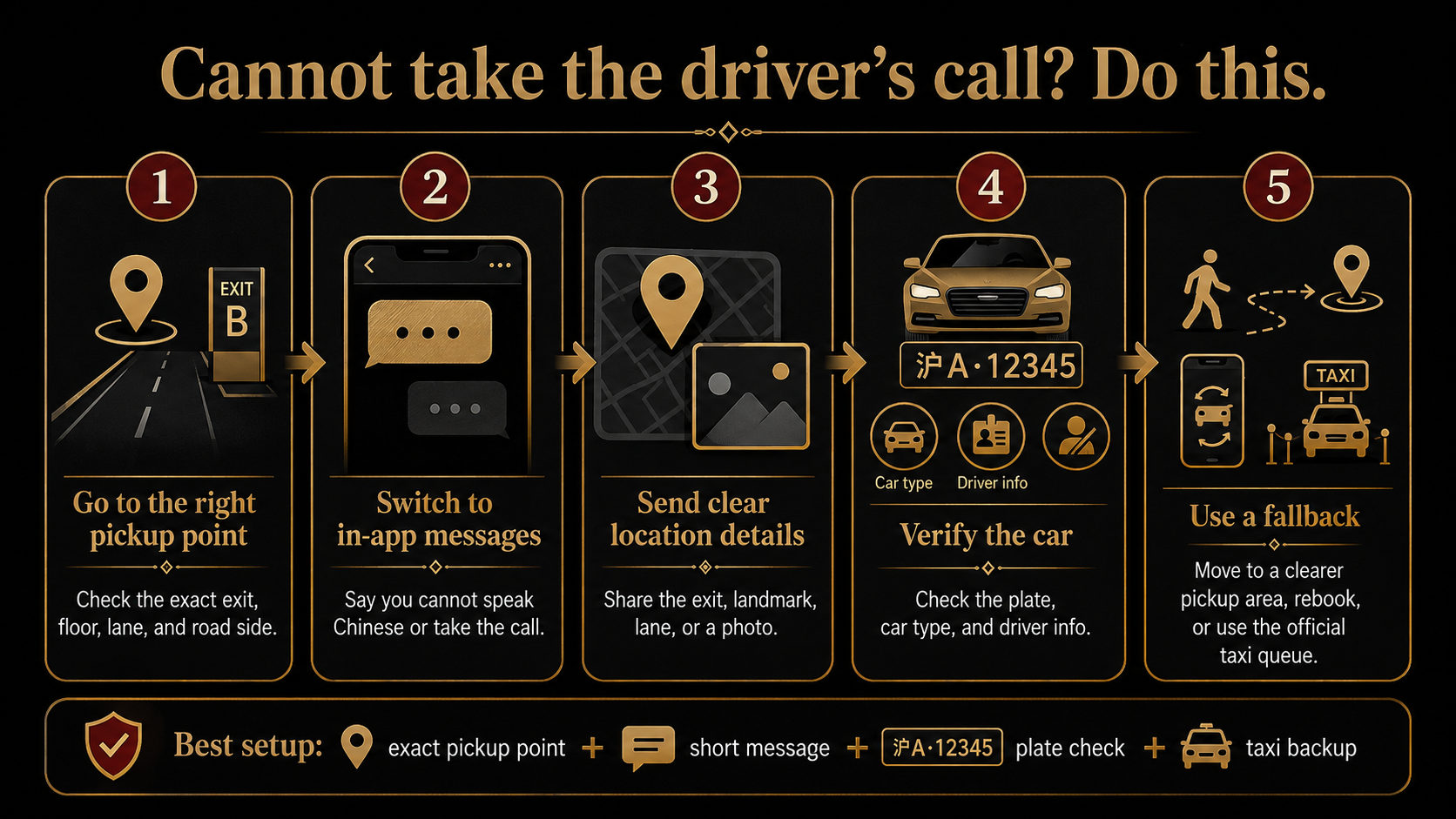
A foreign number, mobile data, and voice calls are different things
Not having a mainland Chinese number does not automatically prevent you from using DiDi.
Separate these three questions:
- Can your number register or log in to DiDi?
- Does your phone have working mobile data?
- Can your number receive a normal voice call in China?
DiDi currently supports international mobile-number registration. In-app messages still need a data connection.
Whether a driver’s call reaches you depends on your number, carrier, roaming setup, and voice service. A travel eSIM may provide data only and no ordinary voice number at all.
Check this before departure. Do not assume that “my internet works” also means “I can receive calls.”
DiDi also lists in-app English customer service. Use it for platform support when necessary, but do not make customer service your first response to a driver waiting nearby. First fix the pickup point and send a clear message.
If you still cannot meet the driver
Use this order instead of repeating the same message.
1. Check your own position
Compare where you are standing with the pickup point in the order. Look for the correct exit, floor, lane, and side of the road.
2. Send one better location description
Add the exit number, lane, landmark, or a useful photo. Do not send “I am here” again.
3. Move to a clearer legal pickup point
Choose a nearby place where a car can stop and which is easy to describe. Tell the driver in the app before moving.
Do not change locations without sending an update.
4. Ask for brief on-site help
A hotel receptionist, airport or station service desk, security guard, or other staff member may be able to tell the driver your exact position in one short call.
You only need help with the immediate pickup, not the whole booking.
5. Cancel and request another car
If the driver remains in the wrong area, cannot be contacted, or the order is not progressing, follow the current app prompts to decide whether to cancel and rebook.
Do not assume cancellation will always be free. Check the message shown for that order.
6. Use the official taxi queue
At an airport or station, or when it is late, your battery is low, you have heavy luggage, or time is tight, the official taxi queue may be the simpler option.
Do not spend a long time repeatedly ordering cars from a confusing underground pickup area.
If your internet, payment, and DiDi are all failing together, see when to stop troubleshooting DiDi after arrival.
Test your setup before departure
Do one practical check before you fly:
- confirm that DiDi opens on your phone;
- log in with the foreign number you will actually use;
- test your mobile-data plan;
- enable location permission;
- find the in-app message button;
- check whether your version shows translation or quick messages;
- search for your first-night hotel;
- inspect the pickup area at your arrival airport or station;
- confirm whether your number has voice service or is data-only;
- identify the official taxi queue as a backup.
Save the hotel’s English and Chinese names, full address, phone number, and essential screenshots. For the full offline checklist, save your first-night pickup and hotel details offline.
For the rest of your basic setup, prepare your core China travel apps before departure.
Final recommendation
A Chinese phone conversation should not be the foundation of your pickup plan.
Stand in the correct place, send a short and specific message, keep the order open, and verify the plate. If that still does not work, move to a clearer pickup point, ask for brief help, rebook, or use the official taxi queue.
Travelers who want their actual arrival station or airport, first-night hotel, foreign number, mobile data, DiDi setup, pickup location, and backup transport checked together can have their actual arrival transport and DiDi setup reviewed through the US$69.90 China Arrival Readiness Review. It is a pre-arrival review, not real-time ride support or a guarantee that a driver, network, or transport service will work as expected.
Information checked: August 4, 2026
Last updated: August 4, 2026. Travel platforms, entry rules, app behavior, prices, and service availability can change. Re-check official sources before departure.
Discussion
Ask a question, share recent experience, or flag information that may be outdated.
0 visible comments
No discussions yet.