High-Speed Rail
How to Book China High-Speed Train Tickets as a Foreigner: 12306, Passport Verification and Boarding
A practical guide to booking China high-speed rail with a foreign passport, choosing the correct station, fixing verification issues, confirming the ticket, and boarding successfully.
Quick Answer
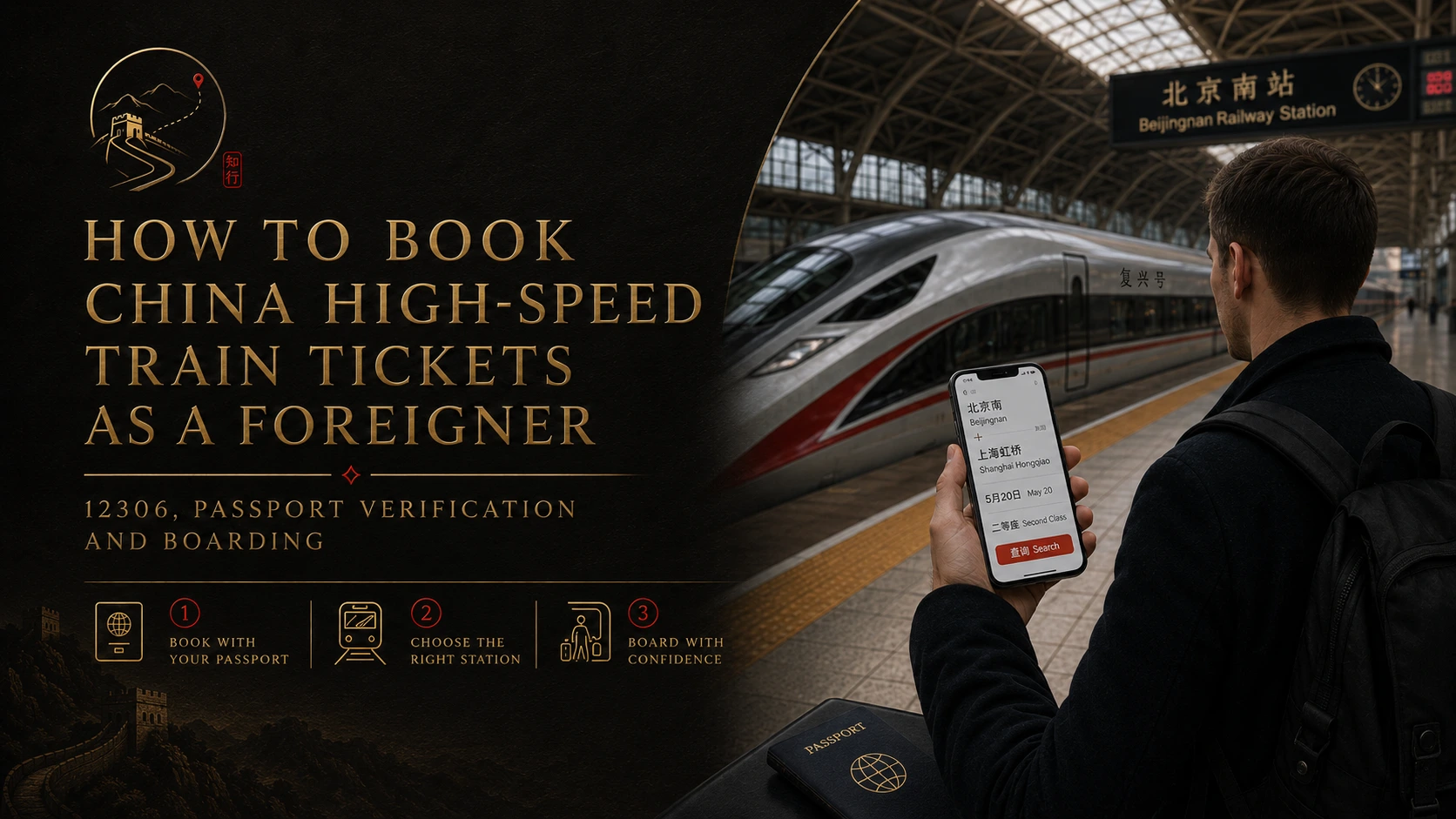
If you are a foreign traveler, you can usually book China high-speed train tickets with your passport through 12306, Trip.com, or at the station.
The problems that cause the most trouble are usually:
- passport verification;
- choosing the wrong railway station;
- assuming a pre-order is already a ticket;
- arriving too late at a large station;
- not knowing what to do when a booking changes or a train is missed.
Before paying, check the full station names, passenger details, date, train number, and seat class. After paying, make sure the ticket is actually issued.
Current China Railway rules and the booking screen you are using always take priority over an older travel guide. Ticket availability, service hours, change rules, and platform procedures can change.
Start With the Booking Method That Fits Your Trip
Foreign travelers have three practical options:
- China Railway 12306, the official railway ticketing channel.
- A reputable third-party platform, such as Trip.com.
- A staffed railway-station ticket counter.
There is no single best choice for everyone. The right option depends on whether 12306 works with your passport and payment method, how much control you want over changes, and whether you prefer international customer support.
Use 12306 When You Want Direct Control
The 12306 English website is the official online railway channel. It accepts eligible foreign passports for real-name ticketing.
12306 is usually the best place to start when you want:
- official railway inventory and pricing;
- direct control over the order;
- official change and refund functions when available;
- the official waitlist;
- fewer questions about whether a third party has actually issued the ticket.
The trade-off is usability. Passport verification, payment, and passenger-name fields can be less familiar than an international booking platform.
Use a Third-Party Platform When Convenience Matters More
A reputable third-party platform can offer:
- a more familiar English interface;
- overseas payment options;
- multilingual customer support;
- an easier booking process when 12306 verification is blocking you.
That convenience can come with service fees and a different after-sales process.
The important distinction is:
A reservation request or pre-order is not the same as an issued train ticket.
Some platforms accept a request before railway inventory is released. Do not build a tight connection or nonrefundable plan around it until the order clearly shows that the ticket has been issued.
Use the Station Counter When Online Booking Is Not Working
A staffed ticket counter is useful when:
- passport verification keeps failing;
- passenger details need correction;
- an online change cannot be completed;
- the order status is unclear;
- you are already at the station and time matters.
Bring the original passport used for the booking. At a large station, allow extra time because the ticket office, security entrance, and departure hall may be in different areas.
The Booking Sequence That Prevents Most Problems
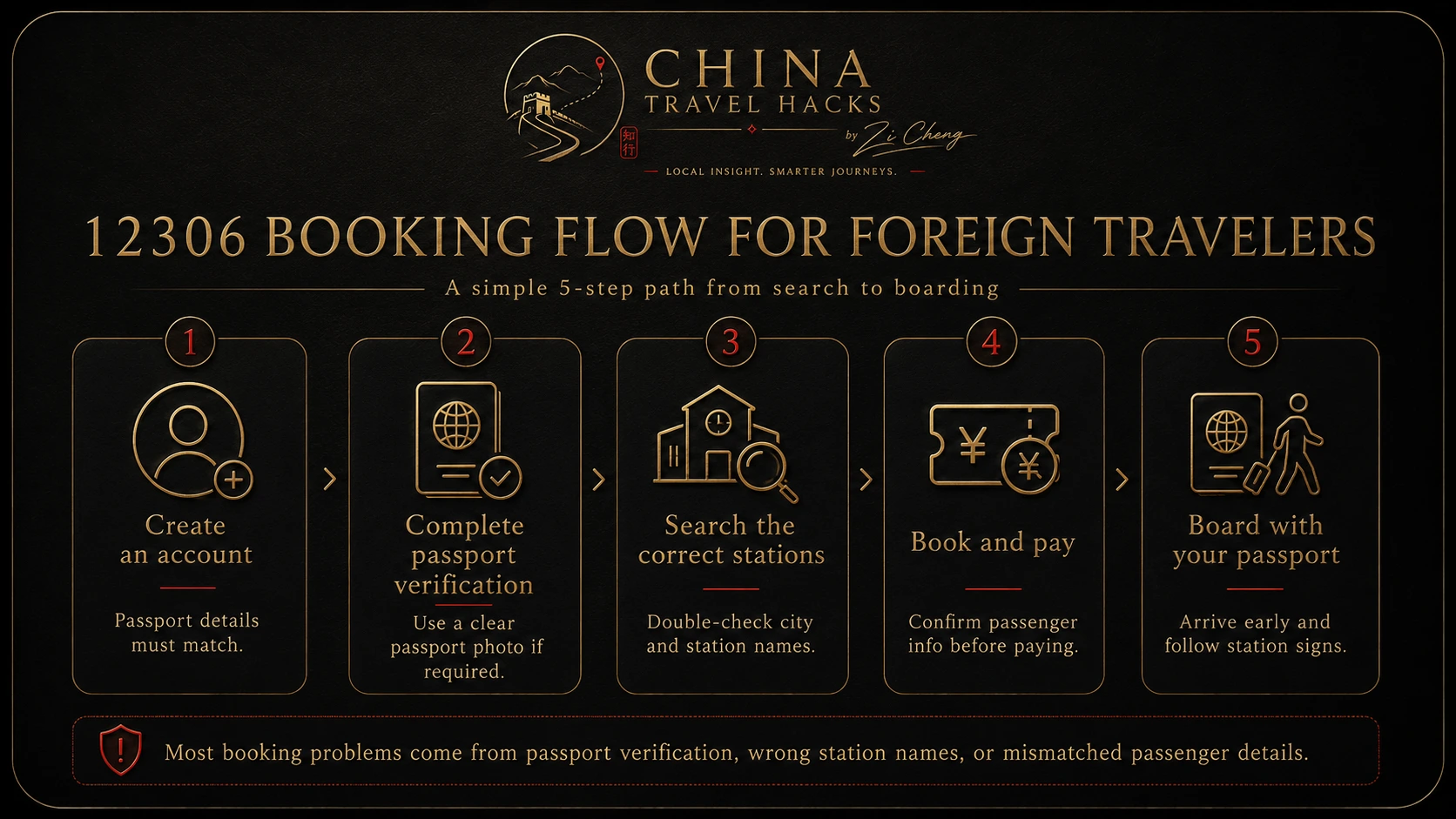
Use this order:
- Prepare passport details for every traveler.
- Choose the exact departure and arrival stations.
- Decide whether to use 12306, a third-party platform, or the station counter.
- Confirm that tickets are on sale for the date.
- Review the train, date, stations, seat class, and passenger details.
- Pay.
- Confirm that the ticket is issued.
- Carry the same original passport to the station.
Step 1: Choose the Exact Station, Not Just the City
Large Chinese cities often have several railway stations.
“Beijing,” “Beijing South,” “Beijing West,” and “Beijing North” are different places. The same is true in Shanghai, Guangzhou, Chengdu, Hangzhou, and many other cities.
Before paying, check:
- the full English station name;
- the Chinese station name;
- distance from your hotel;
- travel time at the time you plan to leave;
- local transport operating hours;
- whether the arrival station works for your next hotel or connection.
The fastest train is not always the fastest door-to-door trip.
Save the station name in both English and Chinese. It helps when showing the destination to a driver or checking signs at the station.
Step 2: Enter Passport Details Exactly
China Railway uses real-name ticketing.
For every traveler, check:
- full name;
- passport number;
- nationality;
- date of birth;
- passport expiry date;
- gender, if requested.
Use the spelling on the passport identity page. Do not shorten the legal name or replace it with a nickname.
Be Careful With Surname and Given-Name Fields
Passport formats vary. Some travelers have several given names, hyphens, spaces, or long surnames.
Follow the instructions on the current booking screen rather than an old screenshot from a blog.
Before payment, compare the passenger details with the passport one character at a time, especially characters such as 0 and O or 1 and I.
Use the Passport You Will Carry on Travel Day
The ticket is linked to the identity document used for booking.
If you renew or replace your passport after buying the ticket, do not assume the booking will automatically follow the new document. Check with 12306 or railway staff before travel.
For a group, add every traveler separately. Never reuse one passenger's passport details for another person.
Step 3: Fix Passport Verification Without Creating More Problems
When verification fails, change one thing at a time.
Check:
- passport number;
- birth-date format;
- passport-expiry format;
- surname and given-name order;
- accidental spaces;
- passport validity;
- the current 12306 verification prompt.
If the system asks for a passport image, use a clear image of the identity page without glare, cropped corners, fingers, or heavy shadows.
Do not send passport scans to strangers, social-media accounts, or unofficial agents claiming they can “unlock” the account.
If verification still fails and the trip is approaching, switch methods. A station counter or reputable booking platform can be more practical than repeating the same failed attempt for hours.
Step 4: Understand When Tickets Are Actually Available
A train can appear in the timetable before tickets for that date are on sale.
Two situations can look similar:
- Not on sale yet: railway inventory has not opened for that date or departure station.
- Sold out: inventory opened, but the available seats have been taken.
Do not assume “no ticket” always means “sold out.”
For busy routes:
- prepare passenger information early;
- identify two or three acceptable trains;
- consider more than one seat class;
- check reasonable transfer options;
- verify station names before switching terminals;
- use the official 12306 waitlist when it is available and appropriate.
A third-party platform cannot create seats that China Railway has not released.
If the route is already sold out, see What Should Foreign Travelers Do When China High-Speed Train Tickets Sell Out?.
Step 5: Review the Entire Order Before Paying
Check:
- departure station;
- arrival station;
- date;
- train number;
- departure time;
- arrival time;
- seat class;
- passenger names;
- passport numbers;
- total price;
- platform service fees.
Do not review only the city pair. A correct route with the wrong station can still make you miss the train.
Confirm the Ticket Is Issued
After payment, look at the order status.
A confirmed booking should clearly identify the train and passenger. Depending on the booking channel, you may first see a pre-order, pending request, or waitlist.
Treat the ticket as confirmed only when the platform says it has been issued or successfully booked.
Save offline:
- train number;
- full station names;
- date and departure time;
- carriage and seat, when assigned;
- booking-provider support details.
This information helps staff find the order, but it does not replace the passport.
Step 6: Bring the Original Passport Used for Booking
For an e-ticket journey, the most important rule for a foreign traveler is simple:
Bring the original passport used to buy the ticket.
The current 12306 English FAQ says passengers use the valid identity document associated with the ticket for station entry, exit, and boarding.
A screenshot, itinerary sheet, or booking email is useful for reference. It is not a replacement for the original passport.
For a group, every traveler should carry the original document linked to their own ticket.
Step 7: Arrive Early Enough to Handle the Station
Large high-speed railway stations can feel more like airport terminals than neighborhood stations.
Time is used by:
- reaching the correct station entrance;
- security screening;
- passport or ticket checks;
- walking to the waiting hall;
- finding the gate;
- reaching the correct platform and carriage.
For a first journey at a major station, a 60–90 minute planning buffer is sensible.
This is practical travel advice, not a nationwide legal minimum. Holidays, unfamiliar stations, heavy luggage, and manual passport checks can require more time.
If the Automatic Gate Does Not Read the Passport
Do not assume the ticket is invalid.
Move to a staffed or manual channel and show:
- the original passport;
- train number;
- booking confirmation if requested.
Follow railway staff instructions.
Match the Train Number Before Boarding
Station boards can show several destinations and intermediate stops.
Match the train number first, then check the departure time, gate, and platform.
Once on the platform, look for carriage-position markings. High-speed trains may stop only briefly.
What Should Foreign Travelers Do After Missing a High-Speed Train in China?
If you miss your train, do not buy a new ticket first.
Open the original booking and check whether the ticket can still be changed. A missed ticket is not automatically worthless, but any change depends on available seats.
Use this order:
Original order → check change options → check later trains → change online if possible → go to the ticket window if needed.

App or ticket window?
| Situation | First move |
|---|---|
| 12306 e-ticket and the change button is visible | Check available trains in 12306 |
| 12306 shows an error or no usable change option | Go to a staffed ticket window |
| Cash purchase | Go to the ticket window with your passport |
| Reimbursement receipt already printed | Take the passport and receipt to the ticket window |
| Trip.com ticket | Open the original Trip.com order first |
| Third-party platform cannot solve it | Ask railway staff what can still be handled at the station |
Bring the original passport used for booking, the order number, original train number, destination, and one or two replacement trains you can actually take.

Can you change to the next train?
Yes, if it has seats.
China Railway does not automatically move you to the next departure. Look for the next available train, not simply “the next train.”
Under the current 12306 rules:
- After departure, changing to another train on the same ticket date currently has no railway change fee.
- Before 24:00 on the ticket date, you can also change to a train on the next day or later within the presale period.
- For that after-departure future-date change, the current fee is 40% of the lower fare of the original and new tickets.
If the replacement ticket costs more or less, the fare difference is handled under the current railway rules.
Important: 24:00 on the original ticket date is the key railway deadline. Do not wait until the next morning.
One ticket can normally be changed only once
Do not panic and change to a train you may also miss.
Before confirming, check:
- departure time;
- how far you are from the gate;
- seat availability;
- seat class;
- whether everyone in your group can use the new train.
A ticket changed after the original train has already departed cannot currently be refunded.
What if you booked with Trip.com?
Start with the original Trip.com order and look for its current Change, Reschedule, or Support options.
Trip.com currently says online changes are normally available from 08:00 to 22:00 China time, so its platform deadline can be earlier than the railway's 24:00 rule.
If you are already at the station and Trip.com cannot resolve the order quickly, take your passport and order details to the ticket window. Railway staff can explain what remains possible on the railway side, but do not assume they can override every third-party after-sales rule.
For the broader difference between the two channels, see Should Foreign Travelers Book China Train Tickets Through 12306 or Trip.com?.
Should you refund or buy a new ticket?
After the train has departed, normal refund should not be your default plan. Check the change option first.
Buy a separate new ticket only when:
- the original ticket can no longer be changed;
- no useful change inventory exists;
- the original booking channel cannot handle the change;
- a new ticket is clearly the better remaining option.
If later trains are sold out, see What Should Foreign Travelers Do When China High-Speed Train Tickets Sell Out?.
Simple example
You booked:
Beijing South → Shanghai Hongqiao 10:00 departure
At 10:05, you realize you missed it.
Do this:
- Open the original order.
- Check whether it can still be changed.
- Look for later trains with seats.
- Change online if possible.
- If the app fails, take your passport to the ticket window.
- If nothing suitable remains today, check later dates before 24:00.
- After changing, confirm the new train, time, station, seat, and passenger details.
Remember:
Do not buy a new ticket first. Check the original order first. A change depends on available seats. If you want to use the missed ticket, act before 24:00 on the ticket date.
Common Booking Mistakes and the Better Move
| Mistake | What goes wrong | Better move |
|---|---|---|
| Choosing only by city name | You may book a distant or wrong terminal | Check the full station name and map location |
| Treating a pre-order as confirmed | The platform may still be waiting for inventory | Look for an issued-ticket status |
| Shortening the passport name | The order may not match the identity document | Use the passport spelling and current field instructions |
| Checking too early | Tickets may not be on sale yet | Check the current sale window |
| Carrying only a screenshot | It does not replace the identity document | Bring the original passport |
| Arriving like a local commuter | Security and navigation can use the remaining time | Build a larger buffer for the first trip |
| Repeatedly changing verification fields | You lose track of the real error | Correct one field at a time |
| Assuming every platform has the same rules | Support, fees, and changes may differ | Use the original booking channel |
First-Trip Preparation Checklist
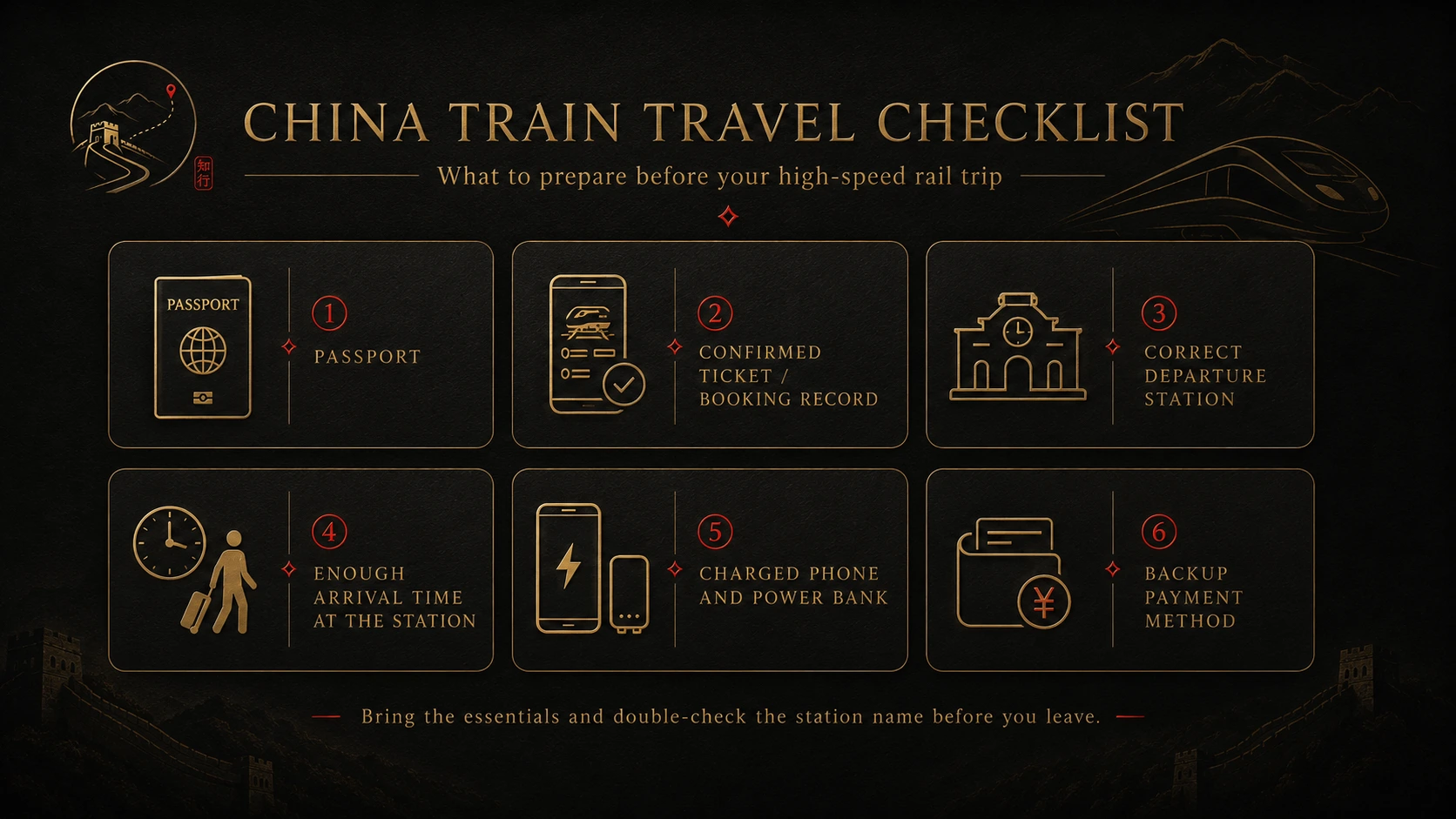
Before Booking
- Confirm exact departure and arrival stations.
- Check travel time from the hotel.
- Prepare passport details for every passenger.
- Decide whether official control or international support matters more.
- Keep more than one acceptable train option.
After Booking
- Confirm that the ticket is issued.
- Recheck every passport number.
- Save train number, station names, date, and time offline.
- Check how changes and refunds work through your booking channel.
- Plan how you will reach the station.
On Travel Day
- Carry the original passport used for booking.
- Keep it easy to reach.
- Leave extra time for traffic, security, and walking.
- Match the train number on the departure board.
- Use a staffed channel if the passport reader does not work.
- Wait near the correct carriage position.
Frequently Asked Questions
Can foreigners buy China train tickets without a Chinese ID card?
Yes. The 12306 English service accepts eligible foreign passports for real-name ticketing.
Do I need a Chinese phone number to create a 12306 account?
The English registration service is designed for foreign-passport users. Follow the current official form because contact and security requirements can change.
Is Trip.com better than 12306?
It depends.
12306 gives you direct access to the official railway order, inventory, changes, refunds, and waitlist. Trip.com may be easier to use in English and can offer international payment and support, but its service fees and after-sales process can differ.
Do I need to collect a paper ticket?
Usually not for an e-ticket journey. Carry the original passport linked to the booking.
Can I board with a photo or copy of my passport?
Do not plan on it. Bring the original passport used for the ticket.
What should I do if the passport gate rejects me?
Use a staffed or manual channel and show the original passport. Keep the booking details available so staff can find the order if necessary.
How early should I arrive at the station?
For a first trip at a major station, 60–90 minutes is a reasonable planning buffer. Add more time during busy periods or with heavy luggage.
Can a third-party platform guarantee a sold-out ticket?
No. Any booking depends on inventory released by China Railway.
What happens if I entered one passport digit incorrectly?
Do not ignore it. Correct the passenger information through the booking channel if possible, or contact the platform or railway staff before the journey.
Final Boarding Reminder
Before leaving for the station:
- check the full station name;
- confirm every passenger's passport details;
- confirm that the ticket is issued;
- carry the original passport used for booking;
- arrive early enough to handle security and station navigation.
If the automatic passport gate does not work, use the staffed channel instead of assuming the ticket is invalid.
Information checked: August 11, 2026
Last updated: August 10, 2026. Travel platforms, entry rules, app behavior, prices, and service availability can change. Re-check official sources before departure.
Discussion
Ask a question, share recent experience, or flag information that may be outdated.
0 visible comments
No discussions yet.